Built for the real world. Combine screenshot recognition with on-device AI to make bookkeeping effortless — no manual categorization required.
iPhone 15 Pro or later supports Apple Intelligence & on-device AI. Other models get free cloud AI as a fallback.
Due to regulations and infrastructure, direct bank API access isn't available the way it is in the US. The result: manual entry is too tedious → categorization is exhausting → you quit.
Kakei AI takes a completely different approach — let AI read your screenshots and do the categorization for you.
Core Features
No need to enter transactions one by one or pick categories manually.
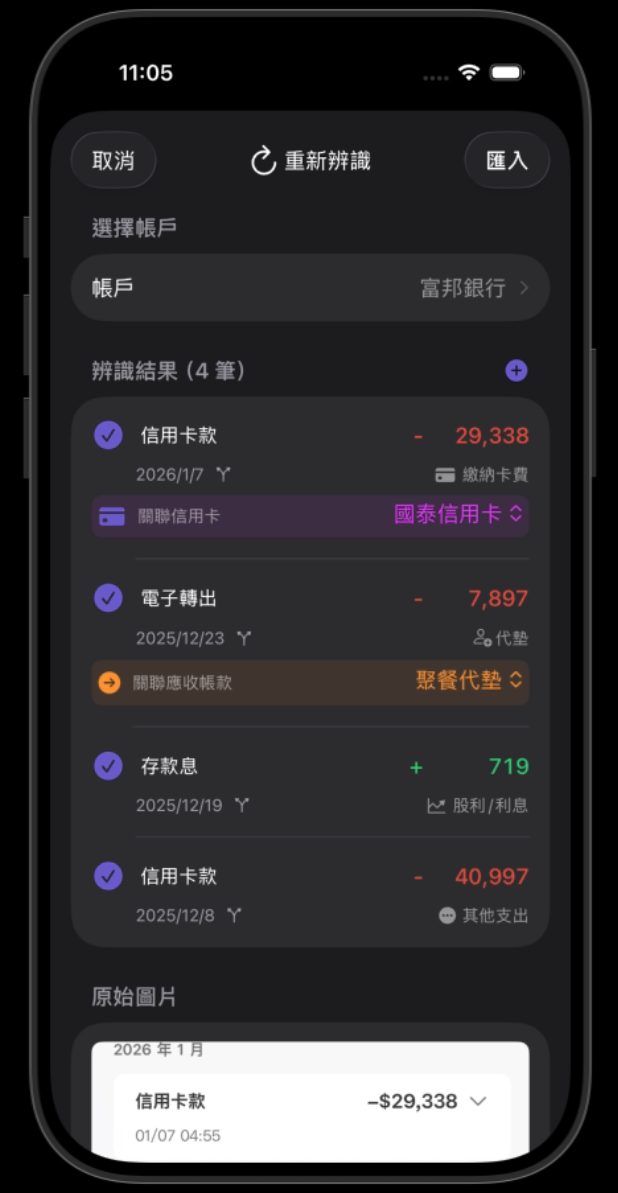
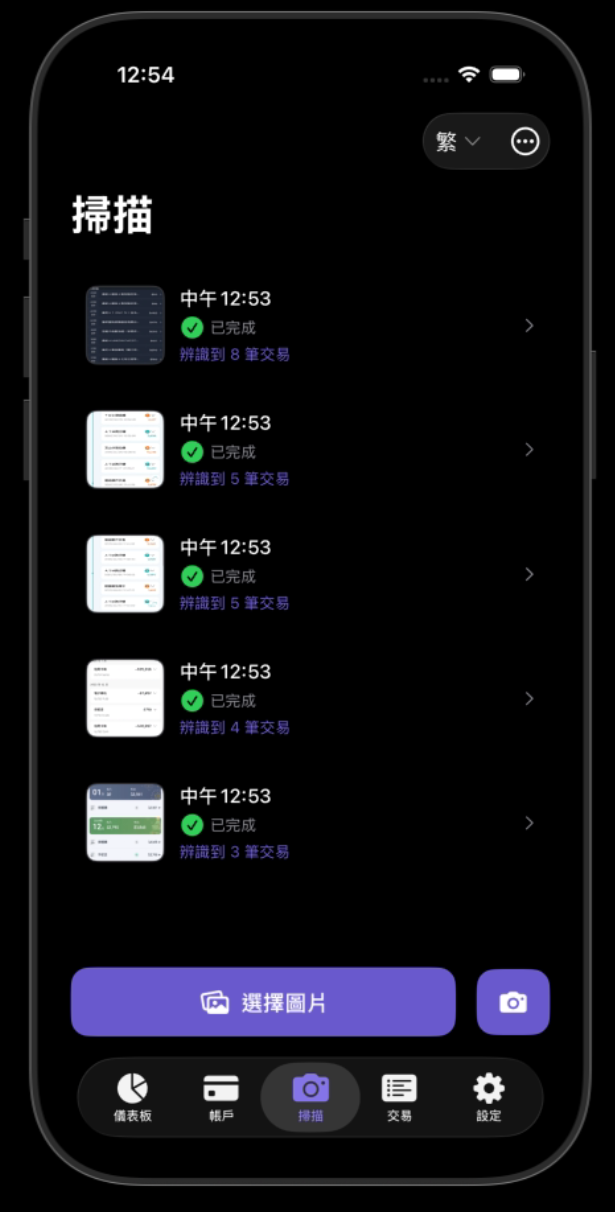
Drop your online banking, credit card, and e-payment screenshots in all at once. AI automatically recognizes amounts and categorizes them. Month-end reconciliation in minutes.
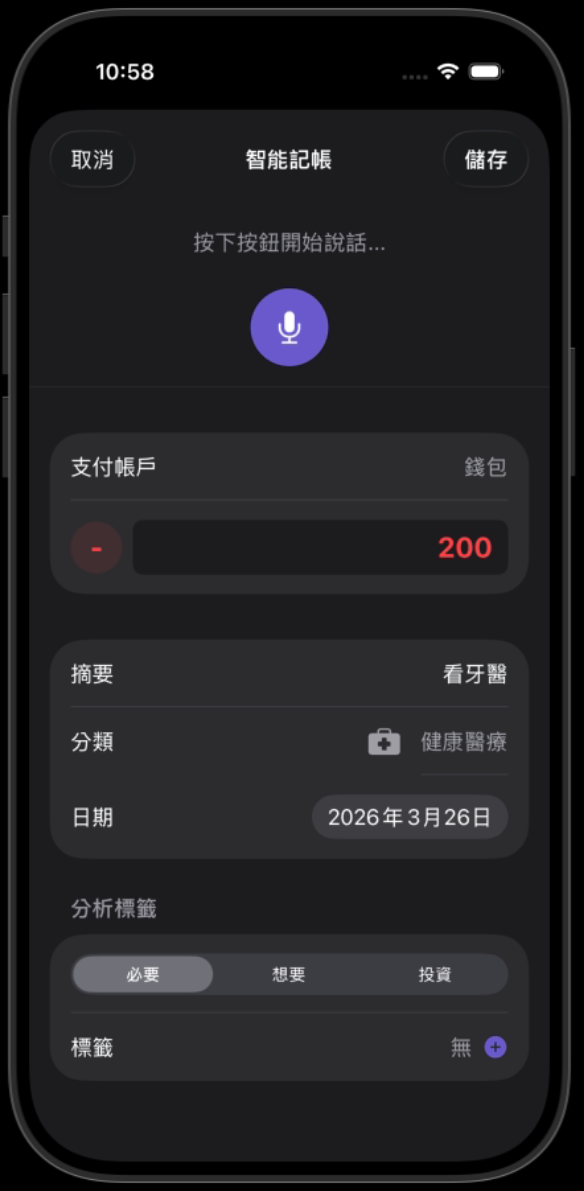
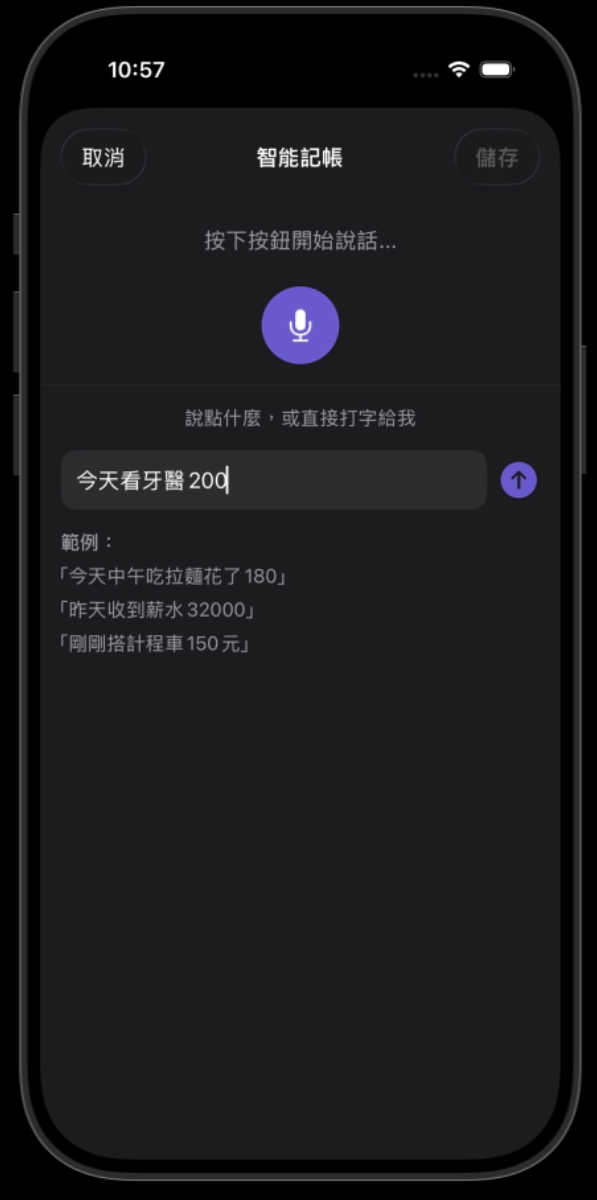
No typing for cash purchases. Just say "lunch 12 dollars" or "train ticket 40," and AI converts it to a categorized entry automatically.
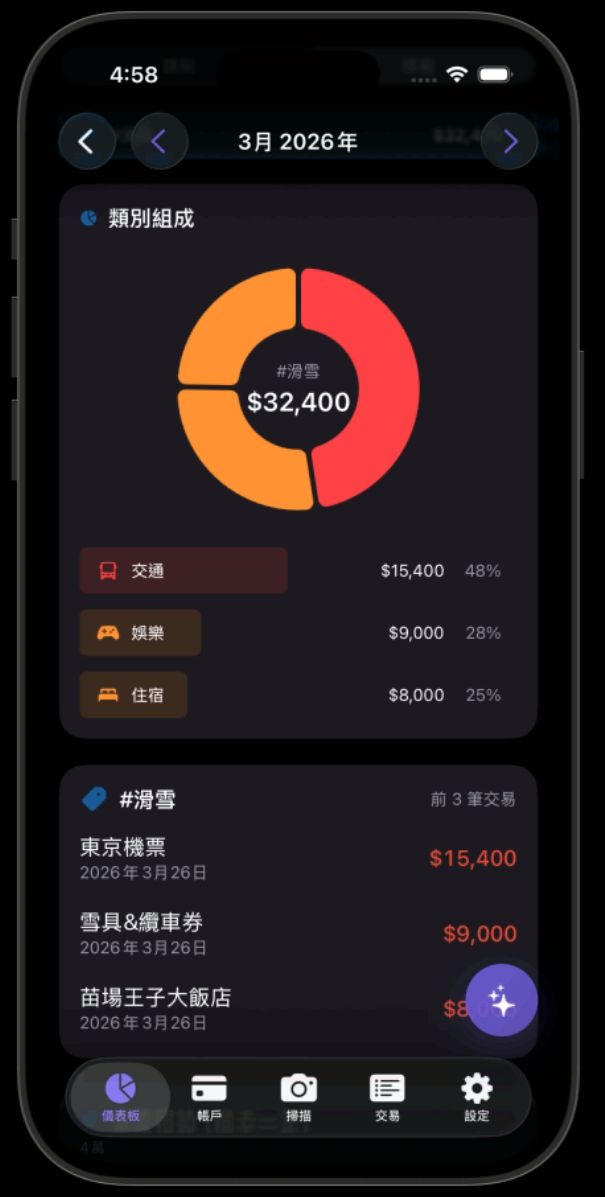
Planning a ski trip or a vacation? Open a tag, drop in flights, hotels, and gear — every expense tracked and visible across years.
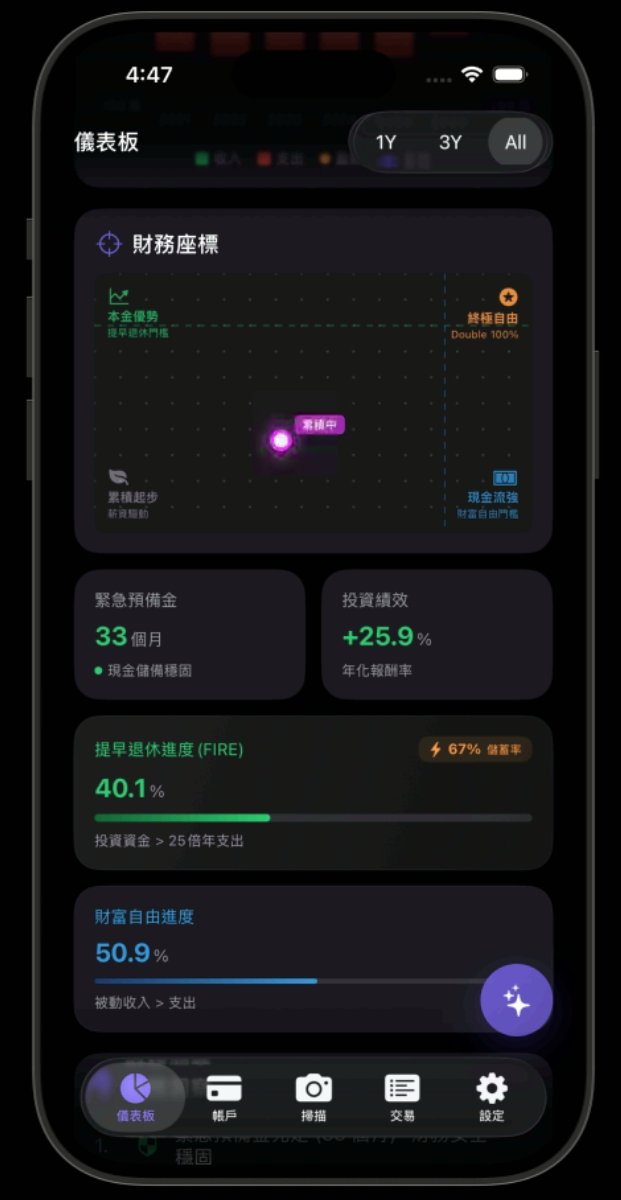
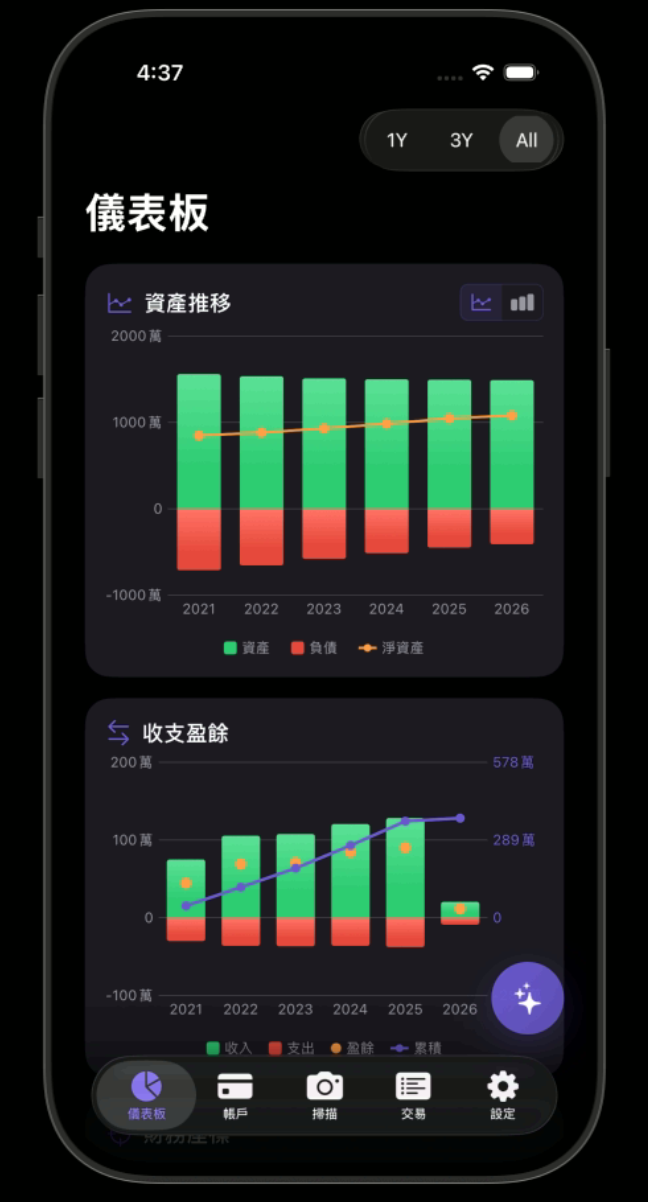
Track asset changes over time. See exactly how many milestones remain on the path to financial independence or early retirement.
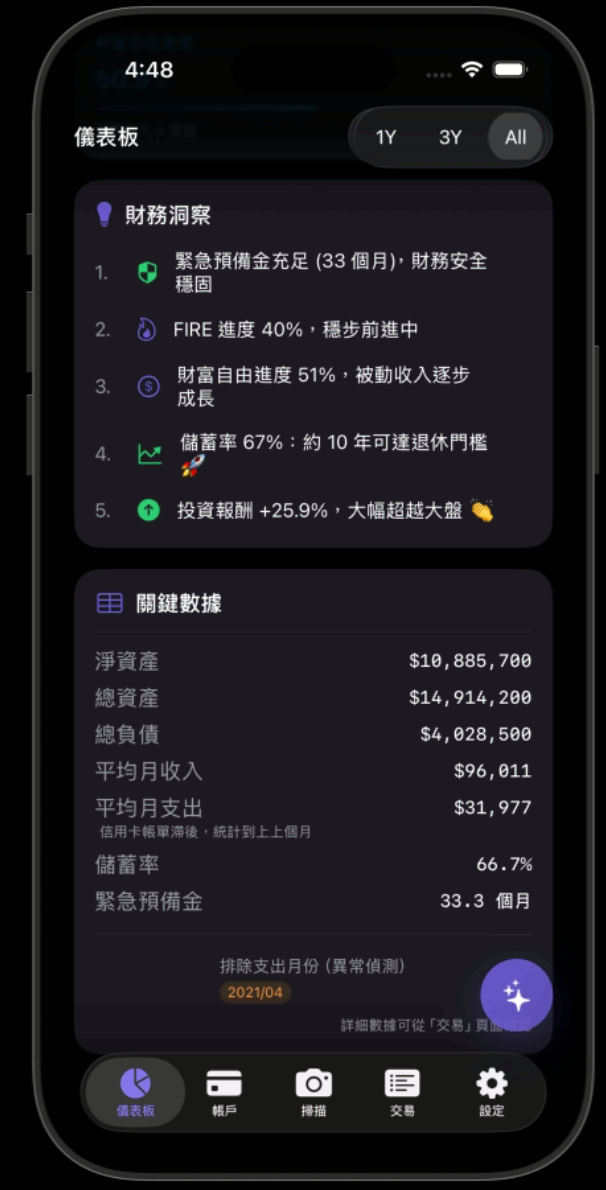
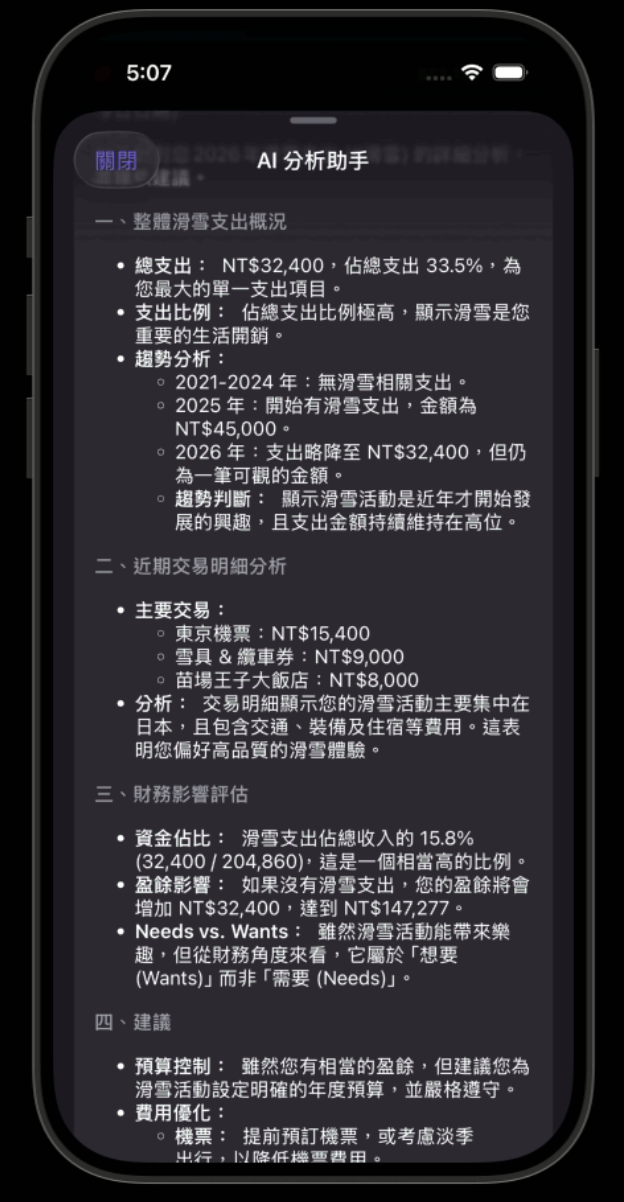
Not just passive logging — AI proactively analyzes your spending patterns, identifies hidden waste, and offers optimization suggestions.
Use Cases
Whether you want the big picture or the full detail, there's a flow for you.
Monthly recap
At month-end, screenshot your bank and e-wallet statements and batch import them. Know your inflows and outflows without worrying about every category.
Detail tracker
Add credit card statements on top of bank accounts. AI auto-categorizes and tags. Your ski trip, your Japan vacation — yearly totals at a glance.
More
Privacy-first or accuracy-first — switch based on your needs.
Auto currency conversion, instant foreign receipt translation.
Seamless device switching, encrypted auto-sync.
Share stats with your partner, keep the whole family aligned.
Pricing
Core features free to use. No ads, ever.
A great starting point for everyday budgeting
Every month-end, I sat at my computer reconciling accounts — pulling up each bank's transaction history, copying card statements into a spreadsheet line by line. Just thinking about it made me want to skip it entirely.
Direct bank API integration isn't something you can just do here — regulations make connecting to financial institutions for automatic sync nearly impossible. So every finance app hits the same wall: manual entry.
I eventually realized the problem wasn't bookkeeping itself — it was manual entry and categorization. So I approached it as a software engineer: let AI read your screenshots, learn your categories, and handle all of it automatically.
"From the desk back to the couch" — the deepest realization I had while building this.
Now I just do it on the couch in spare moments. I hope it helps you manage your finances with a lot less effort.

@hiro
Creator of hirobuilds
Search "Kakei AI" on the App Store, or tap the link below.